Screenshots use fictional sample data and simulated lookup results. No real customer information is shown.
01
Start with the file you already have.
Upload your spreadsheet
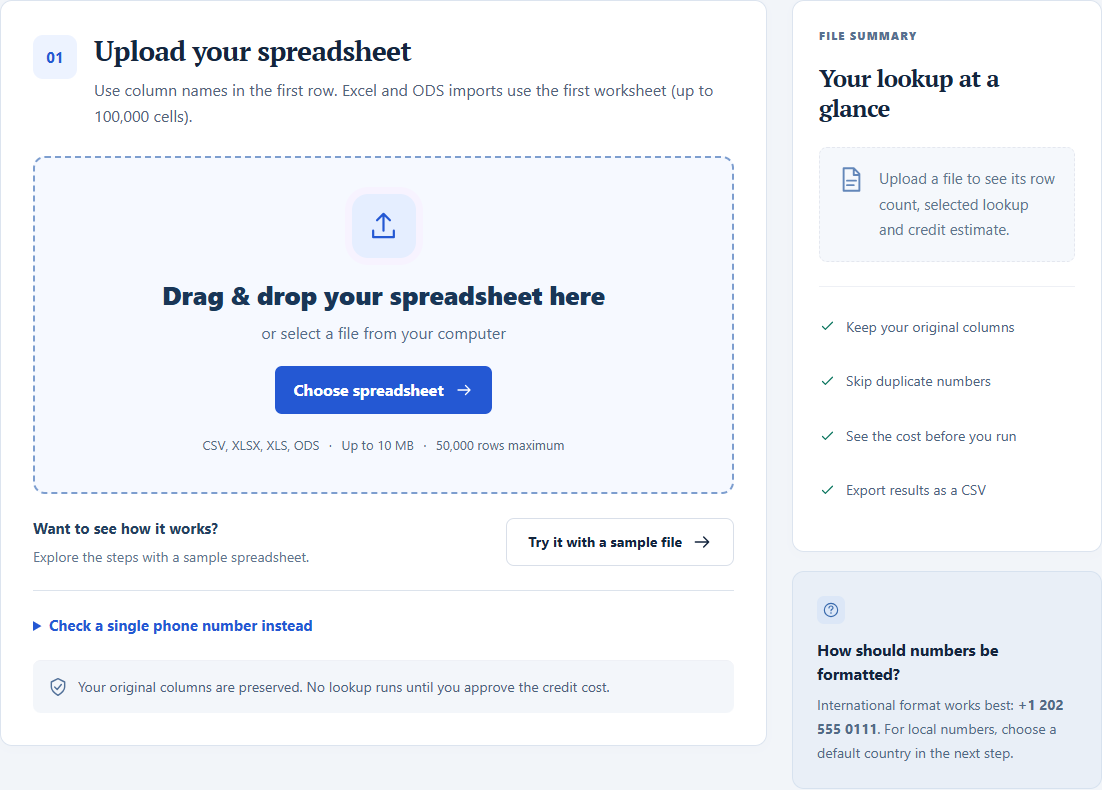
Drag and drop a CSV, XLSX, XLS or ODS file. Keep the column headings in the first row; Excel and ODS imports use the first worksheet. You can also start with a sample file or a single phone number.
Your original columns stay with your results.
Upload your spreadsheet
Step 01 · Actual application screen with sample data. Open full size
02
Tell us which numbers to look up.
Map your phone-number column
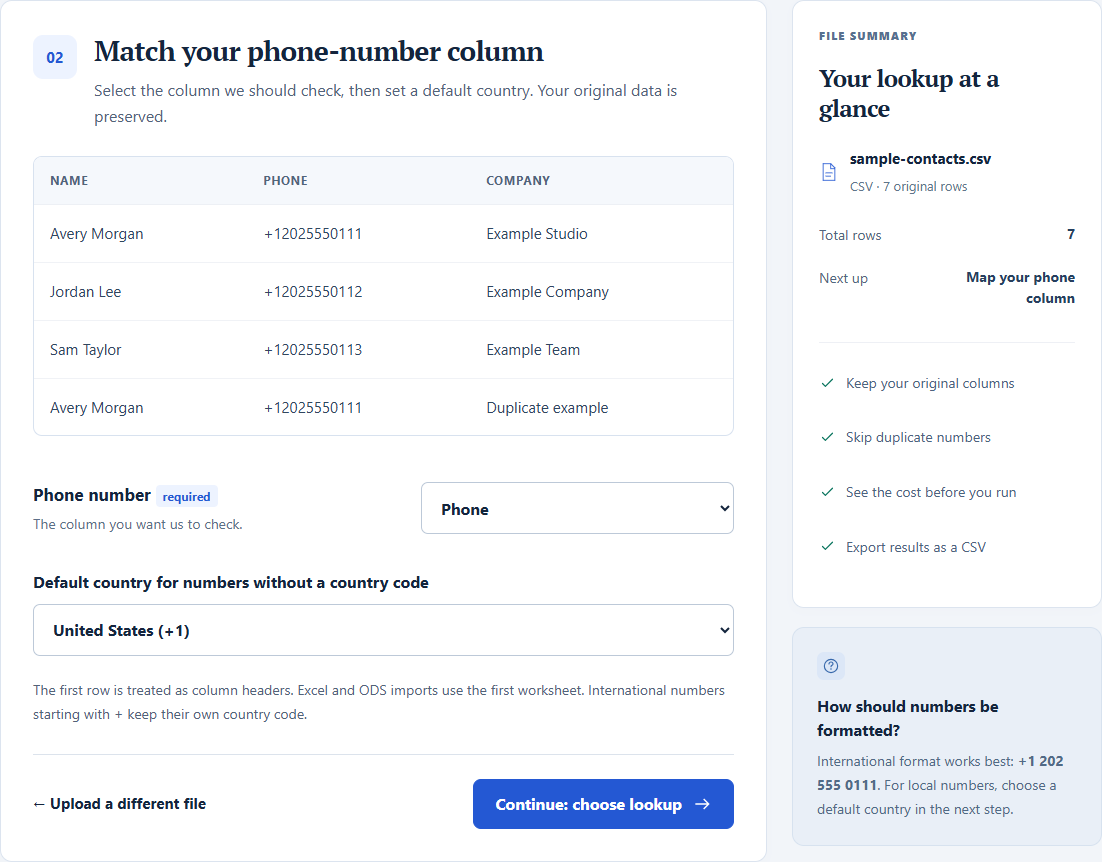
Check the preview, select the column containing phone numbers, and choose a default country for numbers without an international calling code. Numbers already starting with + keep their own country code.
Store phone numbers as text to preserve leading zeros.
Map your phone-number column
Step 02 · Actual application screen with sample data. Open full size
03
Pick the right lookup for your list.
Choose the information you need
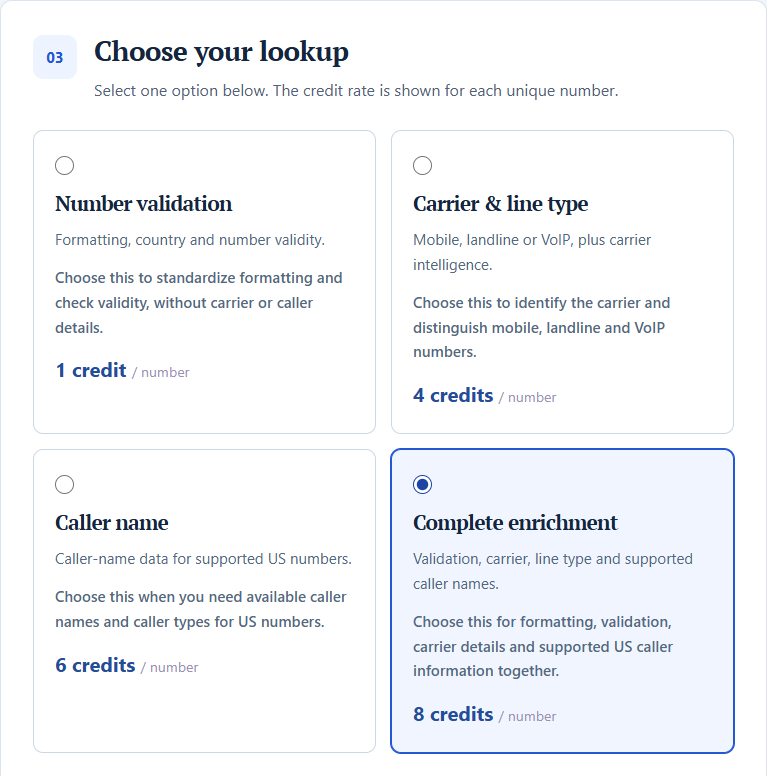
Choose number validation for formatting and validity, carrier lookup for network and line type, caller name for supported US caller information, or complete enrichment for all of these. The comparison guide below the choices explains each returned field.
Each option shows its credit cost per unique number.
Choose the information you need
Step 03 · Actual application screen with sample data. Open full size
04
Know the total before processing starts.
Review the cost and approve
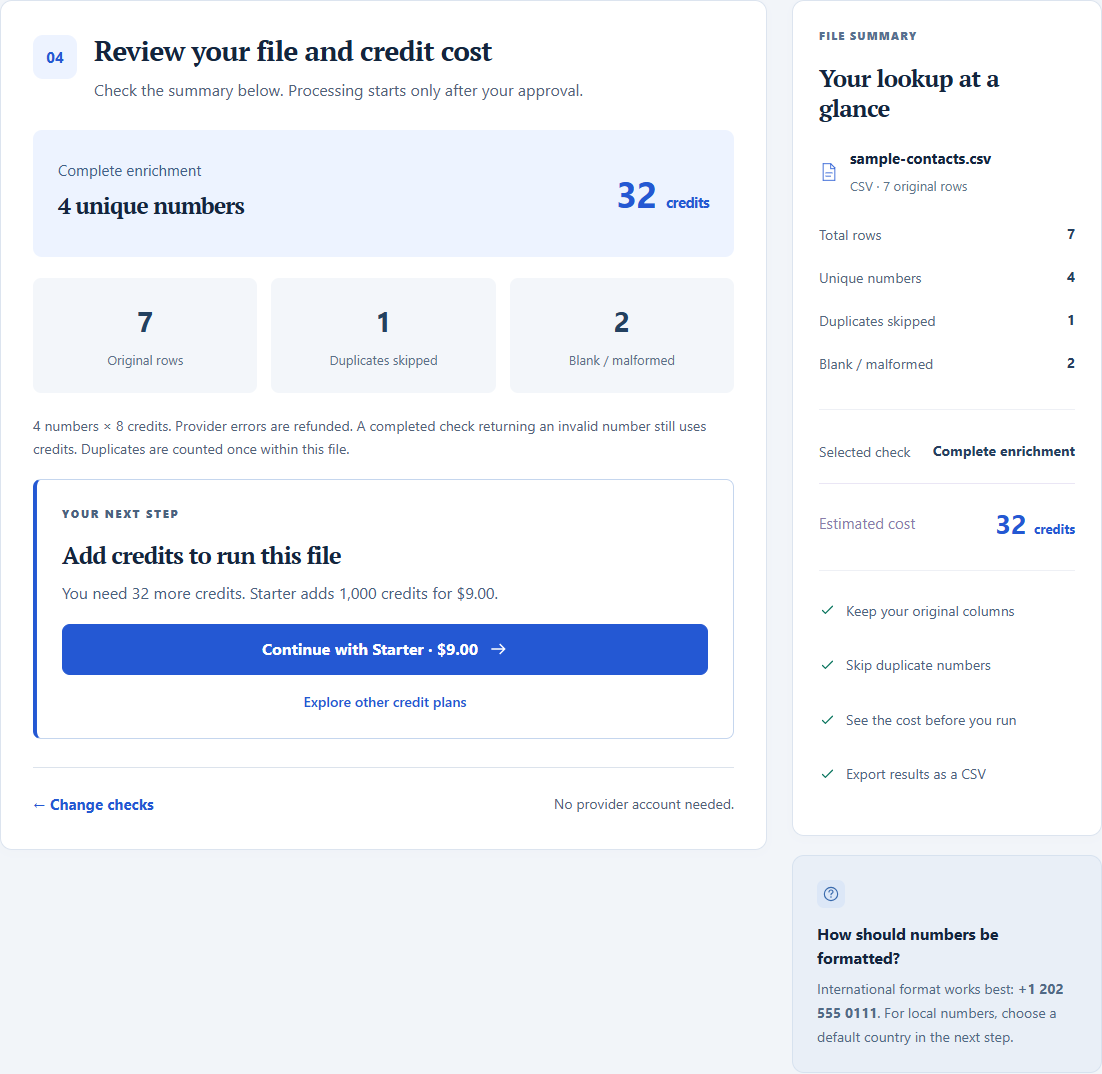
Review the unique-number count, skipped duplicates, malformed rows and exact credit requirement. Create an account or sign in when needed, add credits if your balance is too low, and approve the lookup. Uploading and mapping do not run a paid lookup.
Only start when the file and credit quote look right.
Review the cost and approve
Step 04 · Actual application screen with sample data. Open full size
05
Get your enriched spreadsheet back.
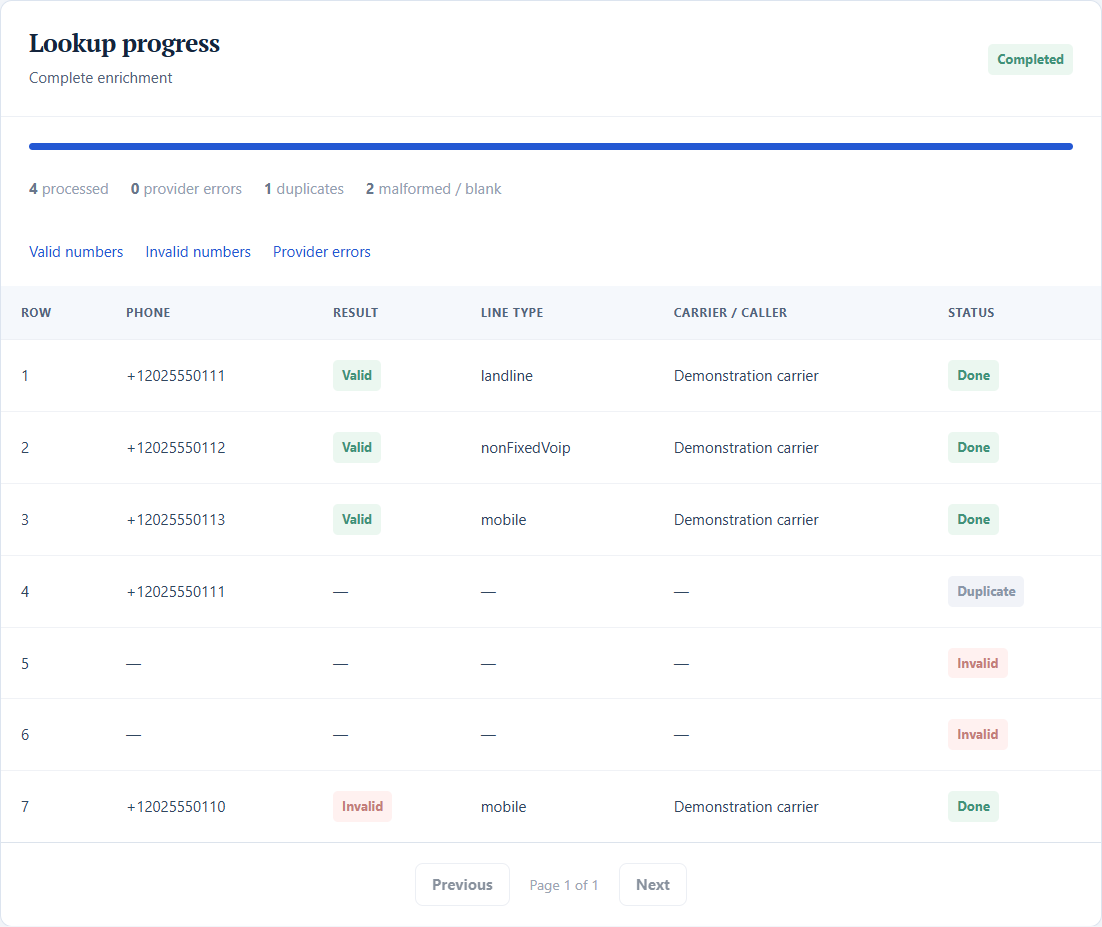
Follow progress and download
Watch the batch progress in your workspace, review the results and download the CSV. Your original columns are preserved alongside the requested lookup fields. You can export all rows or filter valid numbers, invalid numbers and errors.
Failed provider requests receive a credit refund; completed invalid-number checks are chargeable.
Follow progress and download
Step 05 · Actual application screen with sample data. Open full size
Ready to try your own file?
Upload and map first. Choose your lookup and review the credit cost before you run it.